

Summary
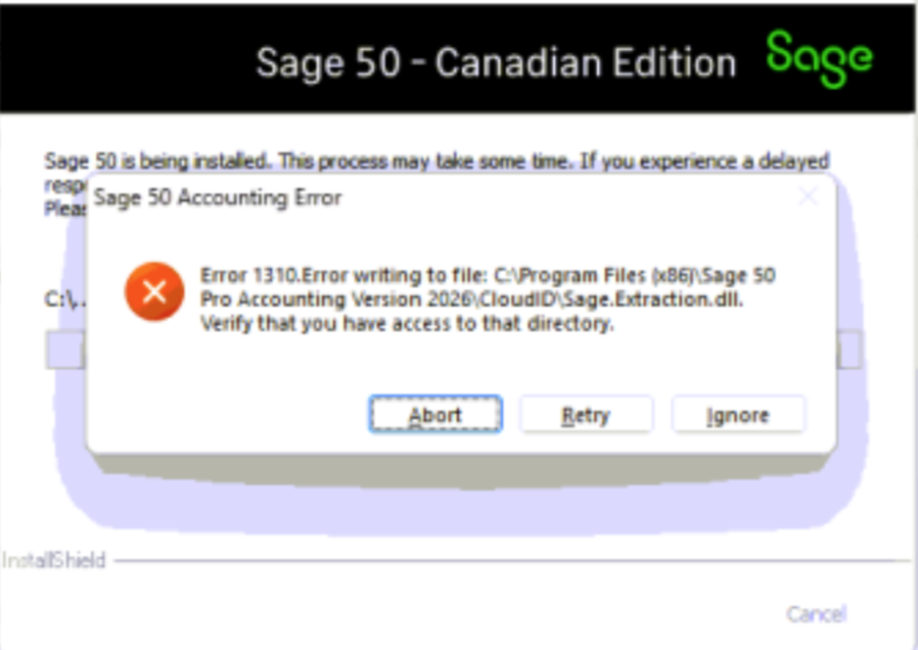
Error: "1310 writing to file [File Name]. Verify that you have access to that directory" when installing Sage 50 Accounting.
Resolution
 CAUTION: This solution needs advanced Operating System knowledge. Consult your system administrator for help. Sage isn't liable for issues caused by improper changes to the Windows Registry. Always back up your data before applying advanced solutions.
Restart the computer
- Restart the computer to close the locked Windows files and try again.
- If the error persists, proceed to the next steps.
Disable the antivirus
- Disable the antivirus and try the install again.
- If the error persists, proceed to the next section.
When using Norton antivirus
- Right-click the Norton icon in the taskbar.
- Disable Auto-Protect and Smart Firewall for 10 minutes to one hour.

- Open Norton and turn off the Advanced Security.

- Reinstall Sage 50.
- Verify that you can open Sage 50 and complete the update.
- Open Norton and turn Auto-Protect, Smart Firewall, and Advanced Security back on.
- If the error persists, proceed to the next section.
Disable UAC (User Account Control)
- Disable UAC.
- If the error persists, proceed to the next section.
Delete temporary files
- Press the Windows key + R. Type Explorer in the Run line and press Enter.
- Browse to C:\Windows\Temp.
- Press CTRL+A to select all files.
- Press Delete.
- Confirm the deletion. If any files are in use or you can't delete them otherwise, select Skip.
- Close the File Explorer.
- Press Windows key + R. Type %temp% in the Run line and press Enter.
- Press CTRL+A to select all files.
- Press Delete.
- Confirm the deletion. As before, if any files are in use or you can't delete them otherwise, select Skip.
- If the error persists, proceed to the next section.
Damaged Windows profile or incorrect permissions
Consult your local IT group or computer technician to perform one or more of the following:
- Install any pending Windows updates
- Create a new Windows Administrator user profile
- Repair your Windows registry
Need more help?
 Africa
 Asia
Asia Australia
 France
 Ireland
 Kenya
Kenya Nigeria
 Portugal
 South Africa
 Spain
Spain United Arab Emirates
 United Kingdom
 United States
 Germany