

Summary
How to restore the ability to create or adjust a purchase invoice, sales invoice, paycheque or timeslip in Sage 50 Accounting Canadian Edition.
Description
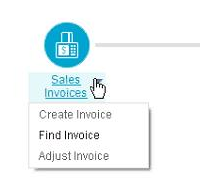
Cause
- Sage 50 is in read-only mode
- The user does not have access
- The file is an Accountant's Copy
Resolution
Option 1: Version check
- Go to File, Properties.
- If Product: says Sage 50 Pro Accounting, only one user can access the file at a time.
Option 2: I get product activation messages
- Manually activate Sage 50.
Option 3: Run Sage 50 as administrator
Option 4: I am being asked to enter a renewal code
- If you get a message to enter a renewal code, contact Sage 50 support.
Option 5: Check the access rights
- Login as sysadmin in single-user mode.
- Go to Setup, Set Up Users...
- Select the user who cannot create a sales invoice.
- Click Modify User.
- Under the Transactions column for Customer & Sales, put a checkmark under Enter.
- Log in again as the user to create the sales invoice.
 Africa
 Asia
Asia Australia
 France
 Ireland
 Kenya
Kenya Nigeria
 Portugal
 South Africa
 Spain
Spain United Arab Emirates
 United Kingdom
 United States
 Germany