

Summary
How to find sales invoices, purchase invoices, and general journal entries in Sage 50 Accounting Canadian Edition.
Description
Cause
Resolution
Sales Invoices
Option 1:
- Click Find Invoice on the Customers page

Option 2:
- From within the Sales Invoice module: CTRL + L or the eyeglass thumbnail
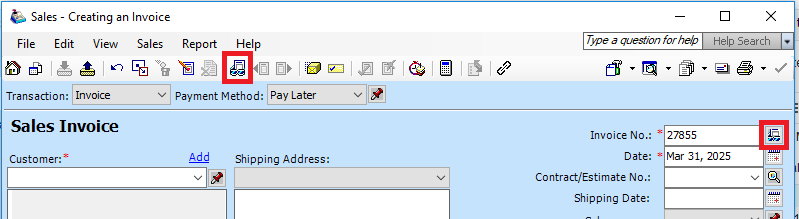
Option 3:
- Run a Customer Aged report in detail
- Go to Reports, Customer Aged
- Change the Report Type radio button to Detail
- Select the Include invoices paid in the last to 999 days
Purchase Invoices
Option 1:
- Click Find Invoice on the Vendors module

Option 2:
- From within the Sales Invoice module: CTRL + L or the eyeglass thumbnail

Option 3:
- Run a Vendor Aged report in detail
- Go to Reports, Vendor Aged
- Change the Report Type radio button to Detail
- Select the Include invoices paid in the last to 999 days
General Journal entries
Option 1:
- Click Find General Journal Entry on the Company tab on the dashboard

- From within the General Journal module: CTRL + L or the eye glass thumbnail

Option 2:
- Go to Reports, Transaction Details / Journal Entries, General
- Select the proper Report on Fiscal Year period
- Click on OK
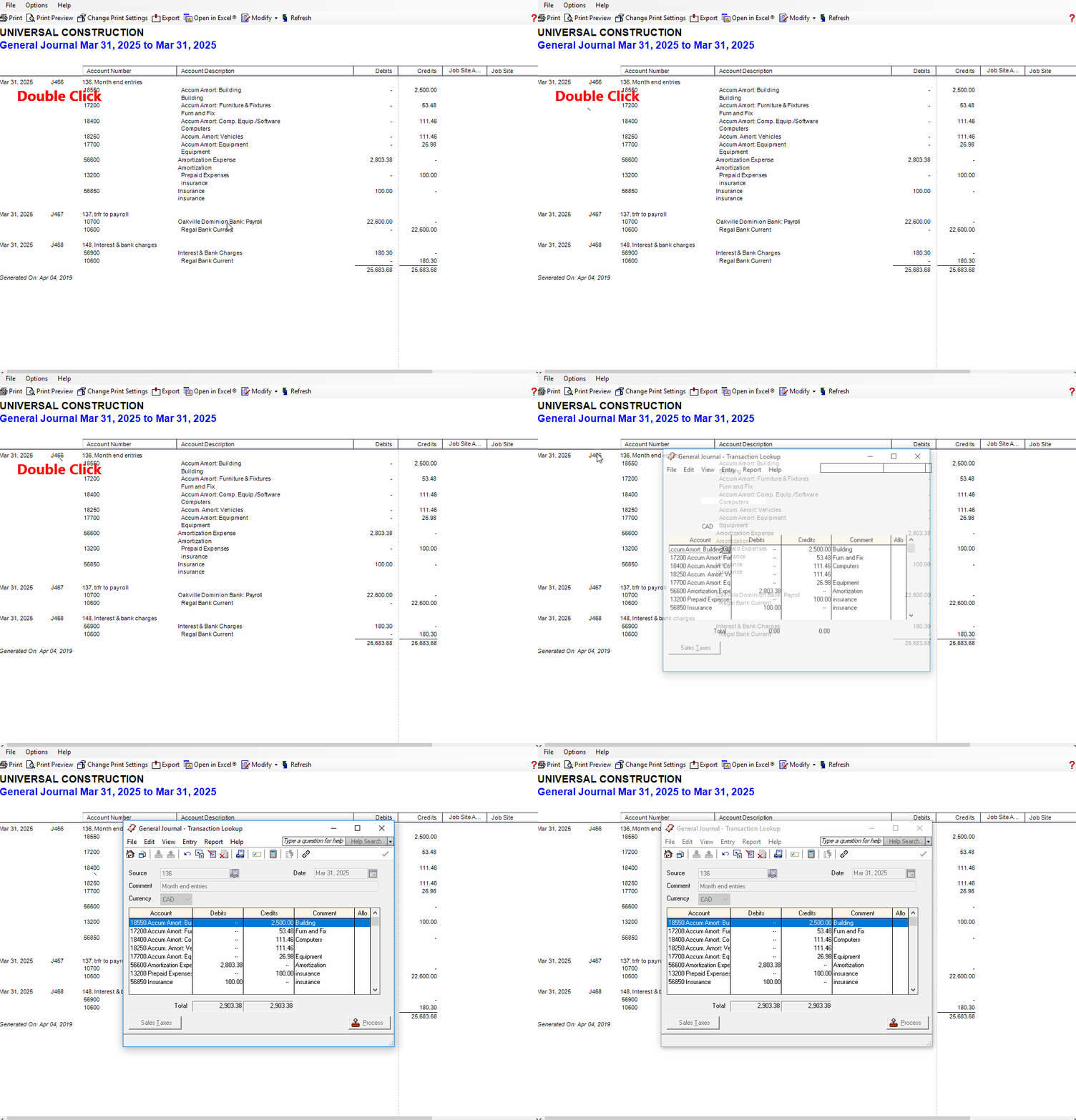
- On the report you can double click on the journal entry
 Africa
 Asia
Asia Australia
 France
 Ireland
 Kenya
Kenya Nigeria
 Portugal
 South Africa
 Spain
Spain United Arab Emirates
 United Kingdom
 United States
 Germany