Error: "Until you finish entering payroll history details, you must calculate and enter all taxes manually."
Summary
Steps to deal with the message "Until you finish entering payroll history details, you must calculate and enter all taxes manually." in Sage 50 Canadian Edition.
Resolution
Option 1: If you do not have a payroll plan that automatically calculates taxes.
- Enter the taxes manually on the Taxes tab.
Option 2: If you're starting a new company and are still in the first year.
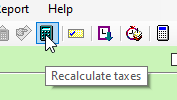
- Click the Recalculate taxes icon and verify the Taxes tab data.
Option 3: If you don't need to be in the first year.
Solution Properties
- Solution ID
- 223924850044489
- Last Modified Date
- Mon Nov 21 17:54:25 UTC 2022
- Views
- 0