

Summary
Buttons or display elements missing, off-screen, or not responding.
Cause
Large font size in the display settings
Resolution
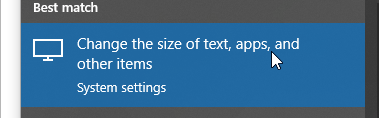
- Return the default text display to 100% by typing DPI in Windows Search or clicking Windows Start. Select Change the size of text.
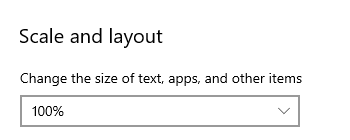
- Set the Scale and layout to 100%
 Africa
 Asia
Asia Australia
 France
 Ireland
 Kenya
Kenya Nigeria
 Portugal
 South Africa
 Spain
Spain United Arab Emirates
 United Kingdom
 United States
 Germany